
Start this year’s card with a better picture
 Start this year’s card with a better picture
AI Christmas Card Generator for the Photo on Your Card
This Christmas card generator handles the hardest part of a card: the picture. Upload one photo, choose a holiday look, and the AI returns a wide festive image with open space for your greeting, ready for the card layout you already use.
1Upload your photo
Pick a bright, sharp photo showing one face.
You can also drop files on the boxes or paste an image with Ctrl+V (⌘V).
2Pick your Christmas effect
3Choose quality & format
Type a name or an extra detail, or leave it blank to get the style as designed.
This Christmas card photo: 10 credits. A one-time Stocking pack ($4.99) covers it, and pack credits never expire.
When you start, you confirm you are allowed to use every photo you upload. Terms of Service
One-time credit packs · Failed jobs refund their credits · Sign in to start
Updated Nov 13, 2026
In brief
Upload one photo, choose one of four holiday looks and keep the wide shape or change it. You get a festive picture with room for a greeting, which you add in your own card layout. Each image costs 5 credits (1K) or 10 credits (2K), and failed jobs return their credits.
Recent changes
- — Framing tips that leave a clear area for a greeting and a family name.
- — Four looks: Classic Red & Gold, Cozy Christmas, Snowy Wonderland and Santa’s Workshop.
- — New illustrative pairs showing a plain photo next to a card-style portrait.
- — When to choose 1K for screens and 2K for print.
- — Cross-links to the other holiday photo tools.
Illustrative examples
From an ordinary photo to an AI Christmas card picture
A card only looks as good as the photo inside it. These illustrative pairs, made with invented models, show a plain snapshot beside a festive version with a lit tree, a red scarf or a snowy evening. The result you get from your own photo will be a new image.
Each example keeps a quiet strip of space in the frame. That is where a line like “Season’s greetings from the Riveras” goes once you place the picture in your card. Pick the look that fits your family, then try it with a photo you already have.

Before 
Holiday look Starting photo 
A second look
About this tool
What is an AI Christmas card generator?
It creates the festive picture that sits at the center of a holiday card. You upload a clear photo of someone (or of a pet), choose a look, and get back a wide image with tree lights, soft textures or snow around the familiar face. The greeting itself is added afterwards in whatever card editor or print service you use.
Card templates always look great with the sample photo. Drop in your own and the light is flat, someone is blinking and the background is a cluttered room. An AI Christmas card picture fixes that part before the photo ever reaches the template, so the finished card feels pulled together.
It helps when relatives live far apart, when nobody booked a holiday session, or when the year’s best photo was taken in summer. Make one image for a single-photo card, or several in the same look for a collage layout.
Want more portraits than one card needs? Try the AI Christmas Photoshoot
How to
How to use the Christmas card generator
Four steps take you from a plain photo to a picture that is ready for your card.
- 1
Pick the photo
Use a sharp, bright picture where faces look toward the camera. A natural smile matters more than a tidy background. Upload from a phone, or drag the file in on a computer.
- 2
Choose a look
Classic Red & Gold suits a traditional card, Cozy Christmas a warm evening at home, Snowy Wonderland an outdoor winter scene, and Santa’s Workshop a bright, playful card for kids. One look keeps the colors consistent.
- 3
Fit the shape to the card
The card tool starts wide (16:9), which suits landscape cards and email headers. Switch to tall for a folded portrait card or square for a post. Pick 1K for screens or 2K for printing.
- 4
Create, download, add your words
Optionally type one extra detail, for example “red scarves” or “candles in the window”, and press create. Download the image, place it in your card template and write your greeting there.
Other holiday tools
Each one starts from your own photo, whether it is a certificate, an avatar, a pet portrait or a photo with Santa.
 Christmas PFP makerA square holiday avatar from a selfie, Santa hat optional.Open
 Pet Christmas photosA dog or cat in a festive scene, which works nicely on a pet’s own card.Open
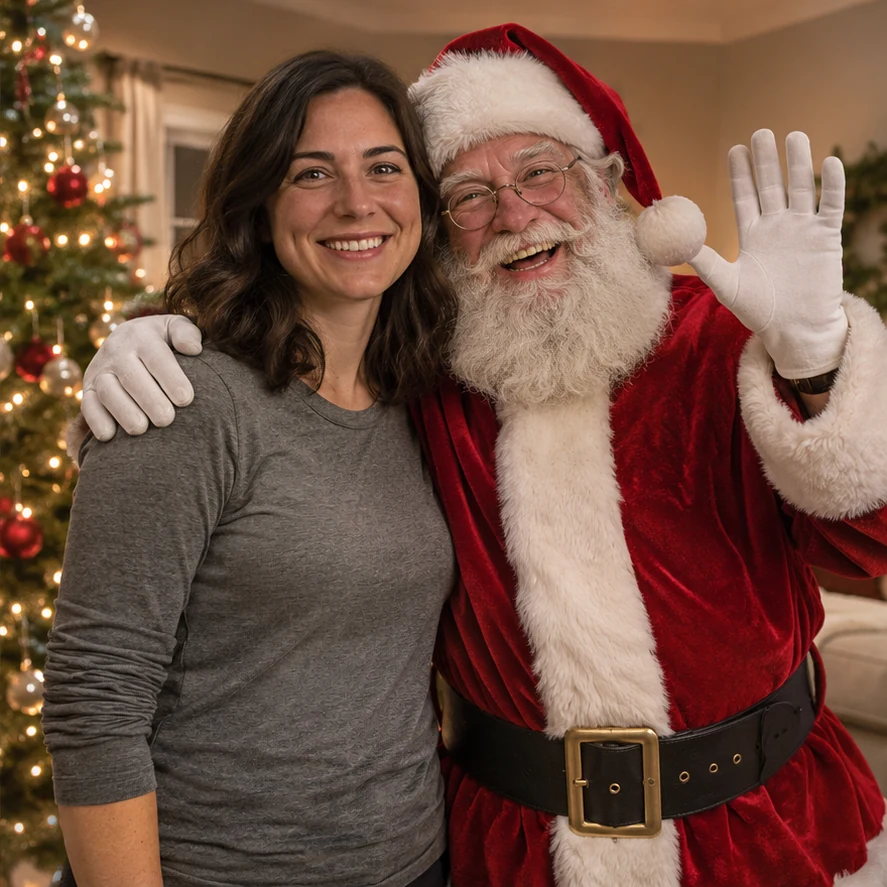 Photo with SantaSanta posing beside the people or pets in your own photo.Open
Santa Nice List — A named certificate around a child’s portrait, nice to slip inside a card. Open
AI Christmas Photoshoot — Holiday portraits of the family made from everyday photos. Open
AI Santa Photo — The person in your photo dressed as Santa. Open
AI Christmas Wallpaper — Holiday decorations added to a photo for a lock or home screen. Open
AI Christmas Background — A wide festive scene to use as the backdrop of a card design. Open
Reasons
Why make your Christmas card photo with AI
The photo carries the card
Fonts and borders cannot rescue a dull picture. Starting from a familiar face and adding the holiday setting gives the rest of the card something to work with.
Keep your favorite card layout
Download the image and use it in whichever print shop, card app or e-card you like. The fonts and layout stay yours.
Matching colors across photos
Use the same look for every portrait, and the photos on a collage card share the same light and palette, even if they came from different phones.
Screen or print
Pick 1K for messages and e-cards, 2K for printed cards. Each image is 5 credits (1K) or 10 credits (2K). Downloads carry no watermark, and credits bought in packs do not expire.
Questions
AI Christmas card generator questions
A festive picture for your card. You upload a photo, choose a look and download a portrait to drop into whichever card design, print layout or e-card you use. It does not design, print or mail the card for you.
Add it in the card editor or print service you are using. That keeps the font, layout and wording in your hands. The open space in the image is there to make room for it.
Choose 2K for printed cards, especially larger ones. For e-cards, texts and emails, 1K is enough and costs fewer credits.
Each image is made from one photo, and one clear face per photo works best. For a family card, run each person’s photo through the same look and arrange the results in a collage. Pets can be added with the Christmas pets effect.
Each image costs 5 credits (1K) or 10 credits (2K), shown before you start. Packs are paid once and their credits do not expire, so anything left over is still there next year.
Yes, with a parent’s or guardian’s agreement. Ask for a recent favorite photo, upload it, and you have a picture ready for your own card.
Your card is waiting on one good photo
Upload a picture, choose a look and download a holiday image for your card.