
 Several holiday edits, one upload box


Updated Nov 13, 2026
Recent changes
- — Page text and examples refreshed.
- — An illustrative example for each effect.
- — Notes on which photos and details each effect needs.
- — Photo prices: 1K is 5 credits, 2K is 10.
- — Notes on permissions and on what each tool is and is not.
- — Links to the matching guides and related effects.
Christmas photo effects that start from your picture
Four holiday edits share one studio: a certificate with a child’s name, a square avatar, a pet portrait and a photo with Santa. Choose the effect first, then add the photo and any details. The examples only show the general direction.
How to use the Christmas photo effects
- Add your picture. Most effects need just one; Christmas pets can also take two pet photos.
- Choose the effect: certificate, avatar, pet portrait or photo with Santa.
- Check the cost. Photos are 5 credits (1K) or 10 credits (2K).
All the Christmas photo effects
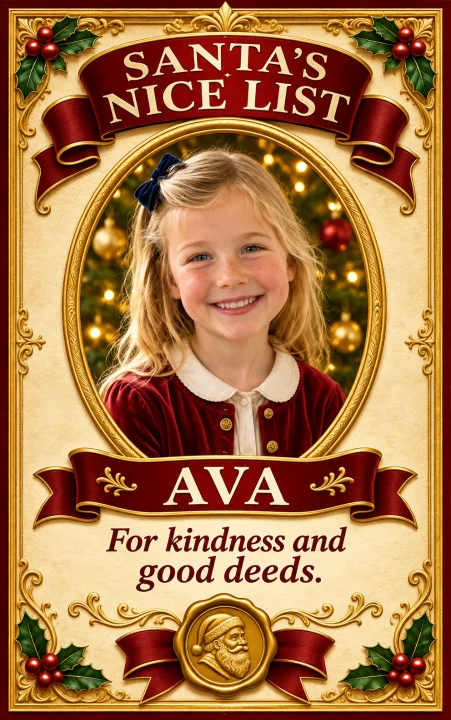
- Santa Nice List: a child’s portrait and name on a just-for-fun certificate.
- Christmas PFP: your selfie as a square holiday avatar in one of six styles.
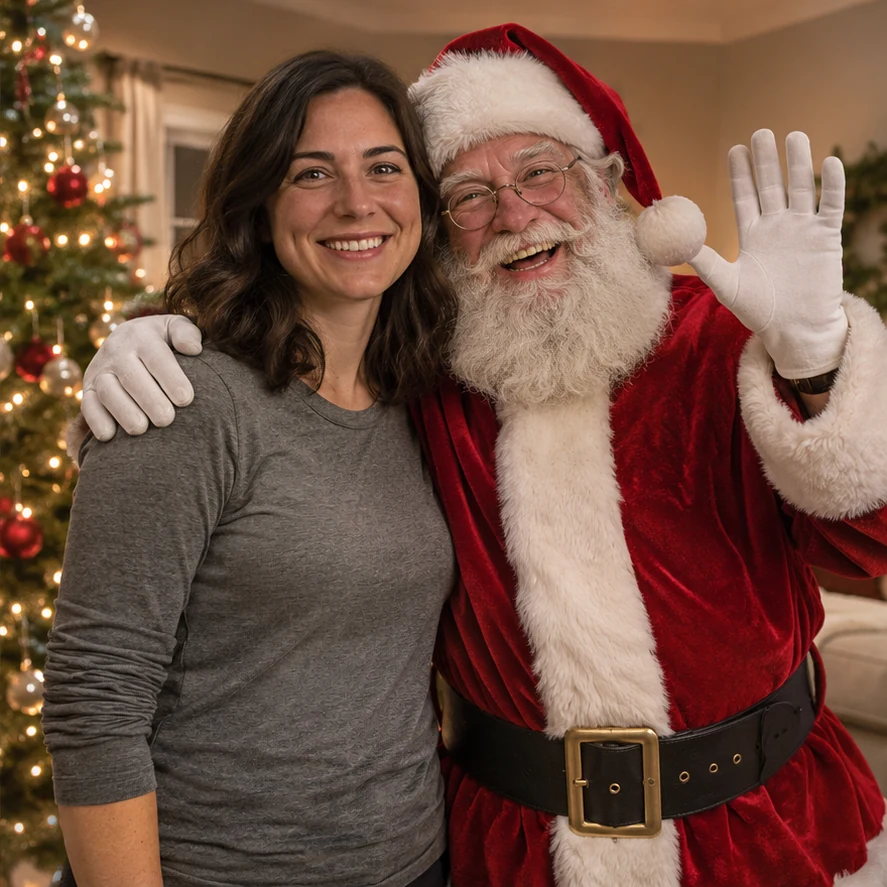
- Photo with Santa: Santa posing beside the people or pets in your photo.
- Christmas pets: a dog or cat in a festive scene, alone or with a second pet.
Picked an effect? Read its guide
Christmas PFP guides explain which photo to choose, how names and formats work, and what to check before sharing. Photos of children need a parent’s or guardian’s go-ahead, and only upload pictures you are allowed to use.