
Guide: Santa camera stills
Staging a Pretend Santa Security-Cam Still
Which photo suits each of the four camera styles, what it costs, and what to check before you show the family.
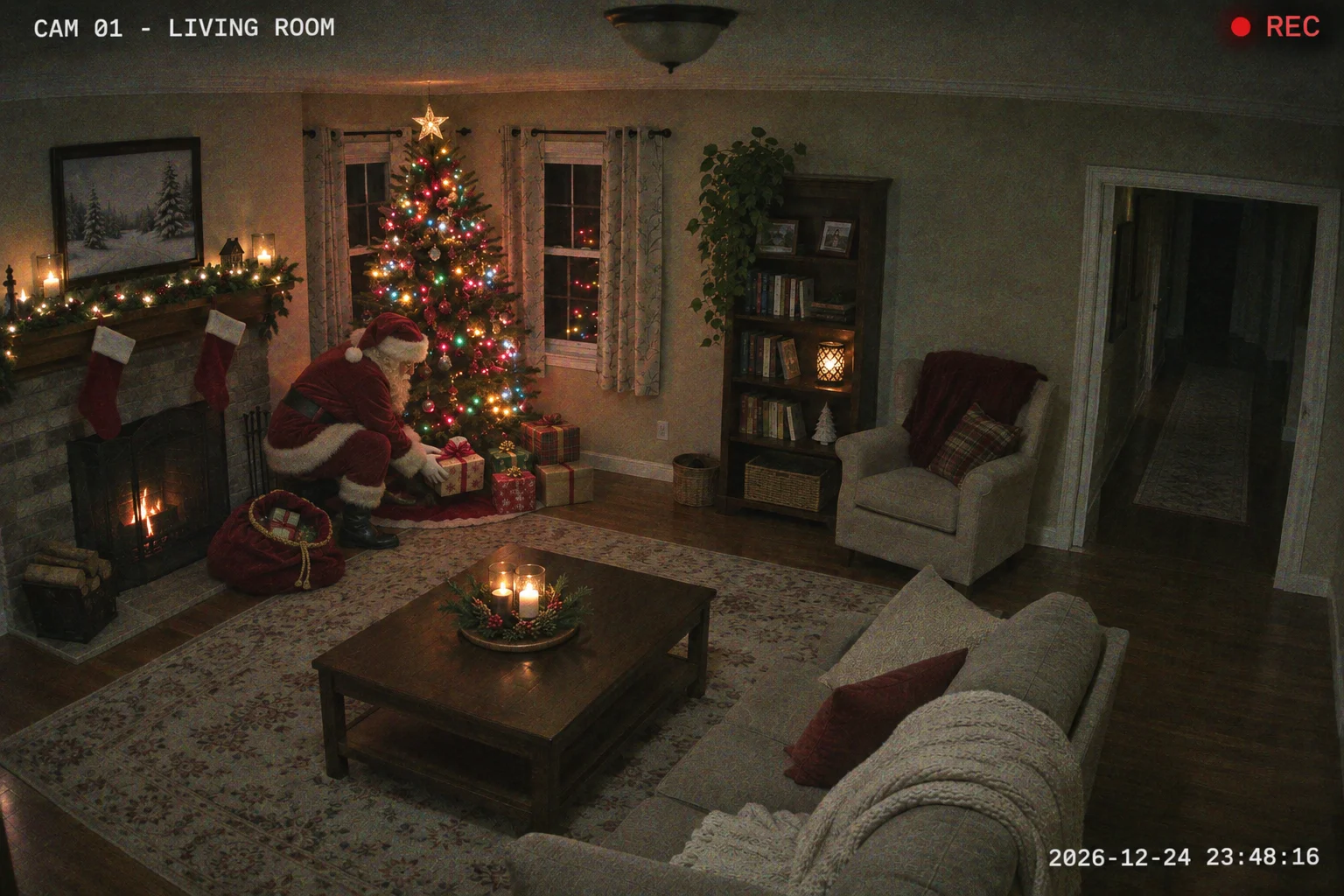
The camera effect takes a picture of a living room, a house front or a porch and makes a pretend security-cam still with Santa in it. You pick the camera look and what Santa is doing. It is a made-up picture for holiday fun, not a recording from a real camera.
Go to the Santa camera studio →
What you need
One photo you are allowed to upload, with the room or doorway clear. Upload from a computer or a phone; drag-and-drop and paste also work on a computer.
1. Upload one photo
A JPG, PNG or WebP under 10 MB. Leave open floor or a doorway where Santa can appear, and include sky for the sleigh style. Only use a photo you have permission to upload.
2. Pick one of four styles
Choose Gifts by the tree, Sleigh over the house, Sneaking in or Front door. A note can be up to 120 characters. The camera look may adjust small details of the scene.
3. Check quality and cost
1K is 5 credits and the default 2K is 10 for one image. The original shape is kept automatically, and the cost is shown before you start. Sign in with enough credits first.
4. Create and check
Press the catch button, then look at Santa’s position, any faces and the light before downloading. Confirmed failures return their credits; unclear provider answers are checked before any refund.
Which photo suits which style
- A living room with the tree and floor visible suits Gifts by the tree and Sneaking in.
- Sleigh over the house needs the roof and open sky. Front door needs a porch shot with the door in view.
- Keep the scene easy to read, then check doorways, the tree, any people and where Santa landed in the result.
A sample detail
The details box takes a short wish about the scene. Keep it in line with the style, or leave it empty.
CAM 02, Santa setting presents by the tree at night; keep the room and anyone in it exactly as they are.
What does it cost?
One image is 5 credits (1K) or 10 credits (2K, the default). Your original shape is kept, and failed jobs return their credits.
Look before you share
Open the still at full size. AI edits can move small details even when told to keep them. If something looks wrong, try a clearer photo or a more specific note.