
Guide: photo with Santa
Photo With Santa, Without the Queue
How to get a photo with Santa from a picture you already have: one upload, four poses, your original framing, and a careful look before you share.
A photo with Santa usually means a long line and one rushed shot. This tool works the other way round: it adds Santa as an extra person next to the family, child or pet in a photo you already took. It keeps your people as they are and does not turn anyone into Santa.
Go to the Add Santa to a Photo studio →
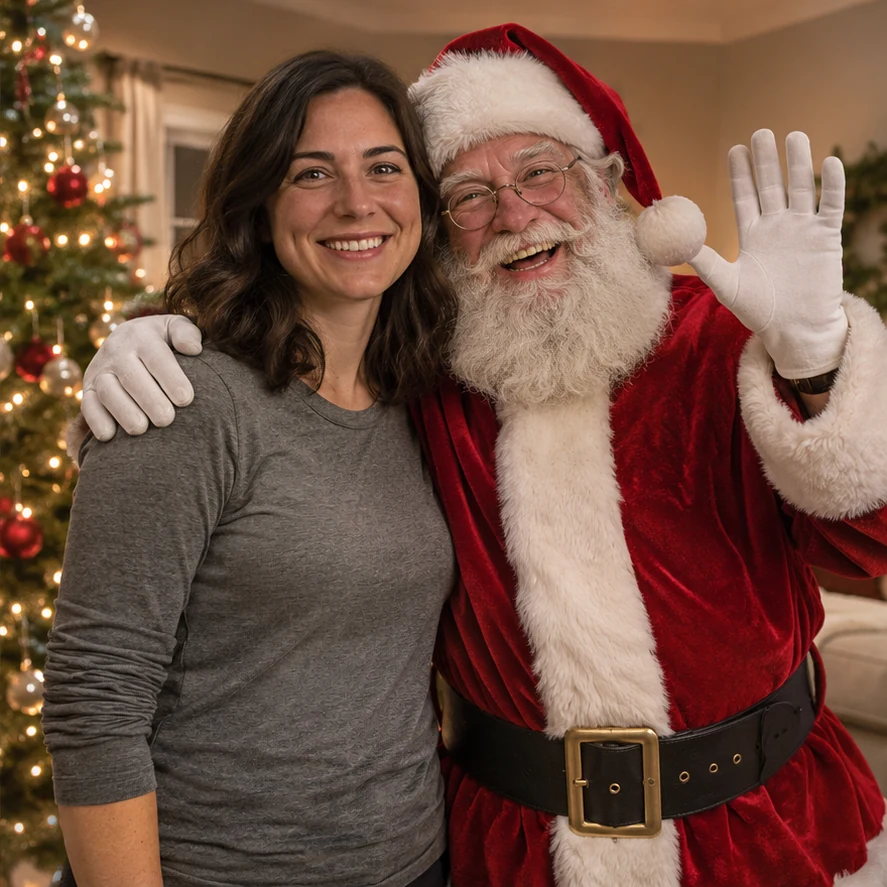
What you need
One photo you are allowed to upload, with faces that are sharp and easy to see. Upload from a computer or a phone; on a computer, dragging the file in or pasting it also works.
1. Upload one photo
A JPG, PNG or WebP file no bigger than 10 MB. Leave some room next to your people where Santa can stand or sit. For the snowy pose, use a photo taken outside. Only upload pictures you have permission to use.
2. Pick one of four poses
Choose By the tree, Santa’s grotto, Snowy outdoor or Kids or pets with Santa in that page’s studio. An optional note can be up to 120 characters.
3. Check quality and cost
1K is 5 credits and the default 2K is 10 for one image. Your original shape is kept automatically. You need to be signed in with enough credits.
4. Create and look closely
Press the create button, then check faces, hands, where Santa stands and the light before you download. Confirmed failures return their credits; unclear provider answers are checked before any refund.
Photo tips for a photo with Santa
- Use a bright picture with sharp faces and a gap beside the people for Santa.
- By the tree, Snowy outdoor and Kids or pets with Santa keep your background. Santa’s grotto may swap it for a decorated set.
- Your photo’s original shape is requested. Check the crop, faces, hands and paws before downloading.
A sample detail
Use the details box for a short wish about the scene, in line with the pose you chose. Leave it empty to get the pose as designed.
Santa sitting next to us on the sofa; keep our faces, sweaters and living room as they are.
What does it cost?
One image is 5 credits (1K) or 10 credits (2K, the default), shown before you start. A failed job returns its credits.
Look before you share
Open the picture at full size. AI edits can nudge small features or the layout even when told to keep them. If a face, a hand or Santa’s position looks wrong, try a clearer photo or a more specific note.