
Guide: holiday portraits of dogs
Your Dog in a Holiday Portrait: Ideas and Steps
Ideas for a holiday portrait of your own dog, which photo to start from, the four studio steps, and how to put two dogs in one picture.
Start from an ordinary photo of your dog. The AI does best with a sharp face and an obvious coat pattern, not a busy group shot. From there, pick a Santa coat, plaid pajamas or a walk in the snow, with no costume and no photo session.
Go to the dog portrait studio →
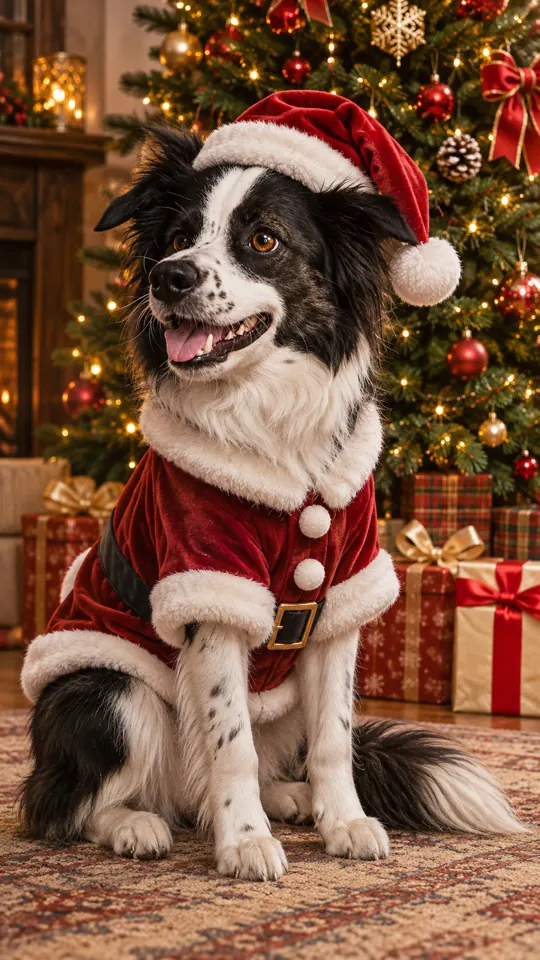
What you need
A photo of your dog that you are allowed to upload, with the dog sharp and easy to see. You can upload from a computer or a phone, and on a computer you can drag the file into the box or paste it.
1. Upload a photo of your dog
A sharp JPG, PNG or WebP under 10 MB showing the face, eyes and ears, with only one dog in it. For a pair, pick Two pets and give each dog its own photo.
2. Pick a look
The pet effect is already on. Santa outfit gives the classic Santa coat and hat; Elf is playful; pajamas, fireplace and snow are cozier choices.
3. Set quality and shape
1K costs 5 credits and the default 2K costs 10. Tall 9:16 suits a phone, square 1:1 a profile picture, and wide 16:9 the front of a card.
4. Create, check, download
Type an optional name or detail like “Maple, plaid bandana”. Sign in, press create and look at the face, paws and markings before you download. Failed jobs return their credits.
Photo tips for dogs
- Shoot in soft window light or open shade, with the face, eyes, ears and coat pattern in focus.
- One dog per photo. For a pair, pick Two pets and put a different dog in each box.
- Square 1:1 works for a dog avatar, tall 9:16 for a phone background, and wide 16:9 for a card front. Add any greeting in your own card editor.
A sample detail
The details box takes a name or a short scene wish. Keep it specific and in line with the look you picked, or leave it empty to get the look as designed.
Maple, a brown and white spaniel in a plaid bandana; keep her face, coat color and patches true to the photo.
What does it cost?
Dog photos use the pet effect: 5 credits (1K) or 10 credits (2K, the default), for one dog or two. The price appears before you start, and failed jobs return their credits.
Look before you share
Open the result at full size. AI edits can shift small features or the layout even when told to keep them. If the face, markings or crop look wrong, try a clearer photo or change the details and run it again.